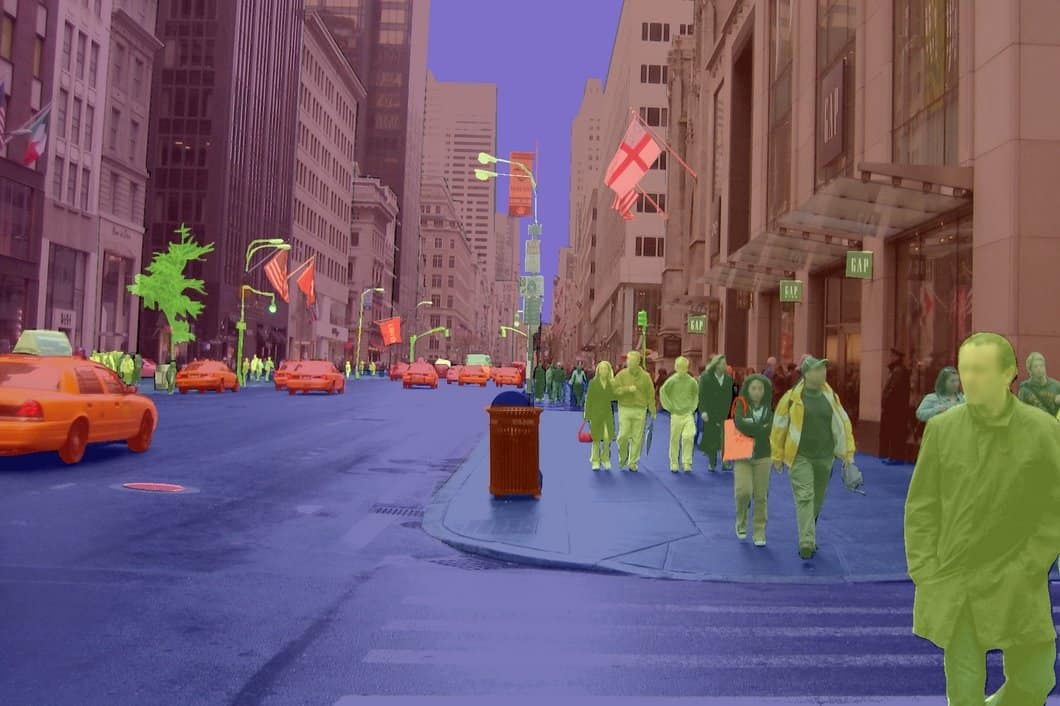

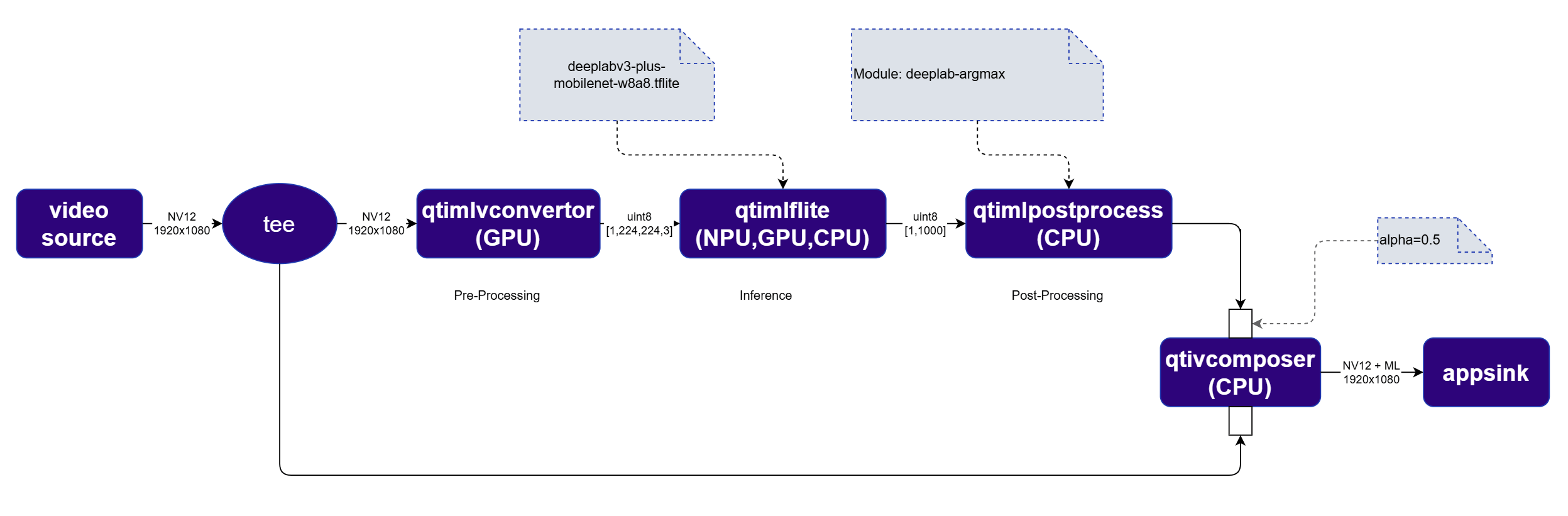
qtimlpostprocess plugin outputs an RGBA image mask rather than structured metadata. This mask is blended with the original video frame using qtivcomposer with sink_1::alpha=0.5. The qtivoverlay plugin is not needed for segmentation.
The order of inputs to qtivcomposer matters — the video frame must be connected first, and the segmentation mask second, so the mask is correctly composited on top.
Run example on device
1
Download Required Files
If any downloaded file is a
.zip archive, extract it on your host machine before copying:
unzip filename.zip2
Copy files to device
Create the required directories and transfer the downloaded files to your device.
3
Connect to device
4
Set environment variables
5
Run example on device
- GStreamer Command line
- GStreamer native application
Expected output
The segmentation mask is blended on top of the original video frame in real time.