

Overview
qtivcomposer is a video composition element that combines multiple video streams into a single output frame using GPU hardware acceleration. At a fundamental level, video composition involves taking multiple independent video frames and arranging them into one output frame according to defined spatial rules. These rules determine the position of each input frame and, when necessary, resize it to fit its destination window in the output frame. Resizing may involve either downscaling or upscaling, depending on the source and destination rectangles. qtivcomposer is commonly used in scenarios such as:- Multi-camera systems, such as surround-view and security grid layouts
- Picture-in-picture compositions
- Video wall applications
- Overlaying auxiliary video streams onto a primary video feed
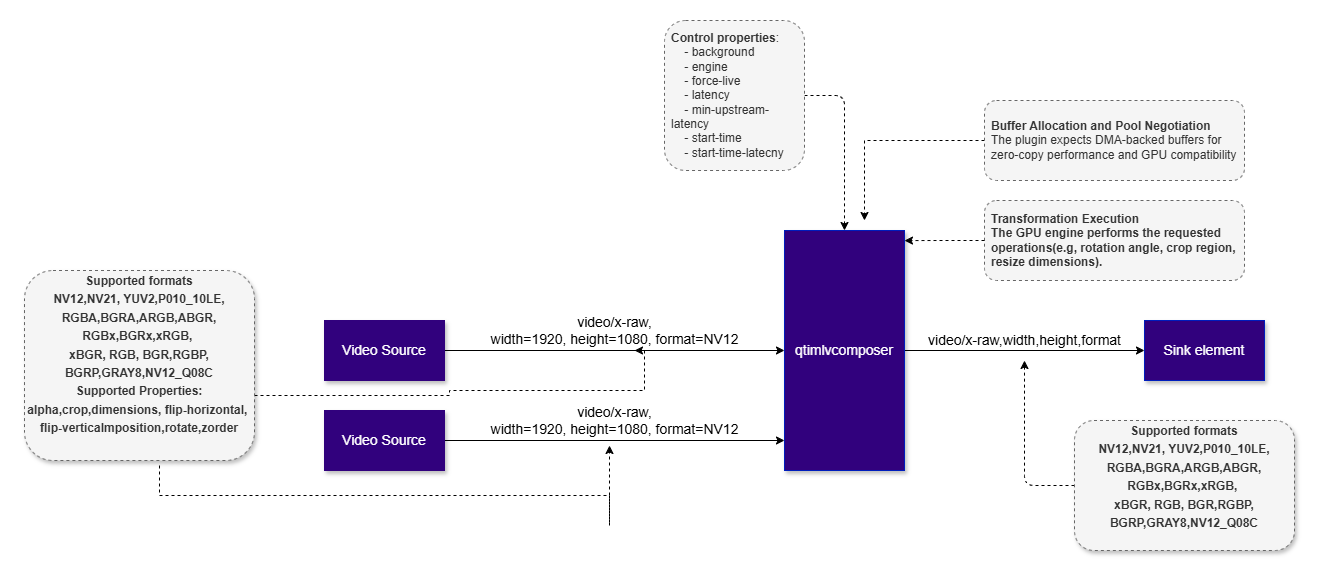
Example Pipeline
1
Download Required Files
2
Copy files to device
3
Connect to device
4
Set environment variables
Run below command on your device
5
Run the pipeline
Hierarchy
GObjectGstObject
GstElement
GstAggregator
GstVideoAggregator
qtivcomposer
Pad Templates
sink
src
Pad Properties
sink
Element Properties
Architecture, Processing, and Role in Vision AI
qtivcomposer is a multi-sink GStreamer element with one source pad. Each sink pad accepts one input stream, typically through dynamically requested pads such assink_0, sink_1, and so on. The source pad produces the final composed frame.
Internally, the element includes four main parts: a pad manager that tracks active inputs, a layout configuration that defines where and how each input appears in the output, a hardware composition backend that performs the composition, and a buffer manager that enforces DMA-compatible memory usage.
At setup time, caps negotiation defines the output frame, including resolution and color format. Input streams must be compatible with the compositor. When needed, hardware-supported scaling and format conversion are applied during composition.
Each sink pad is configured with layout metadata that specifies:
- Output position
(x, y) - Output size
(width, height) - Z-order
Usage
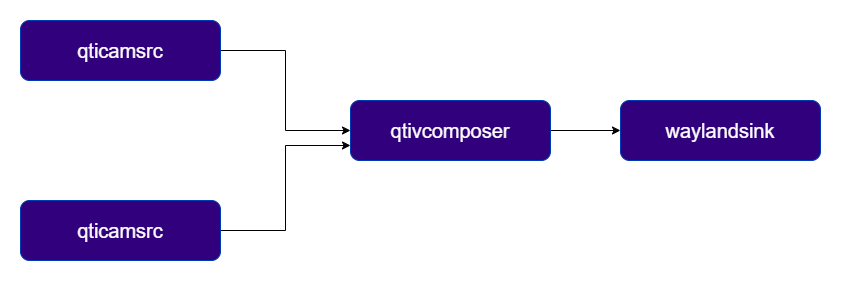
Side-by-side composition of two camera streams
This pipeline usesqtivcomposer to combine two NV12 camera streams into a single output frame arranged side by side, with the resulting output displayed on the screen.
Picture-in-picture (PiP) composition of two camera streams
This example uses qtivcomposer to overlay a secondary video stream on top of a primary stream, creating a PiP layout in a single output frame.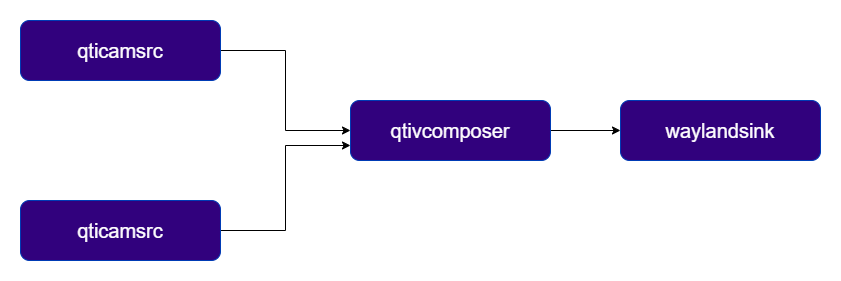
ML result overlay
This example demonstrates how qtivcomposer can be used to overlay an image mask or other ML-generated visual output on top of a video stream. The pipeline splits the input video into two branches: one branch preserves the original video, while the second branch generates a visualization of the ML inference results. qtivcomposer then blends the two streams using alpha compositing, producing a single output stream that combines the original content with the ML overlay. This approach provides an efficient way to visualize inference results directly in the video pipeline and can be used as an alternative to solutions based on qtimetamux and qtivoverlay when the ML output is available as a video frame or image mask.
1
Download Required Files
2
Copy files to device
3
Connect to device
4
Set environment variables
Run below command on your device
5
Run the pipeline
Multi‑Stream Vision AI Video Wall
This example demonstrates howqtivcomposer serves as the final aggregation point for building an video wall, where each stream runs its own AI inference pipeline, applies AI Metadata as overlay, and is then composed into a single output to create the final video wall.

1
Download Required Files
2
Copy files to device
3
Connect to device
4
Set environment variables
Run below command on your device
5
Run the pipeline