

- Classification outputs are arrays of confidence scores that must be interpreted, such as by selecting the top classes exceeding a specified threshold.
- Raw tensor data may need conversion into formats expected by subsequent plugins or processing stages.
- Label strings (e.g., “cat”, “car”, “person”)
- Confidence scores
- Color information (for visualization overlays)
- Bounding boxes
- Key points and their connections
- Segmentation masks
- Tensors (for cases where subsequent AI stages require modified outputs from previous models)
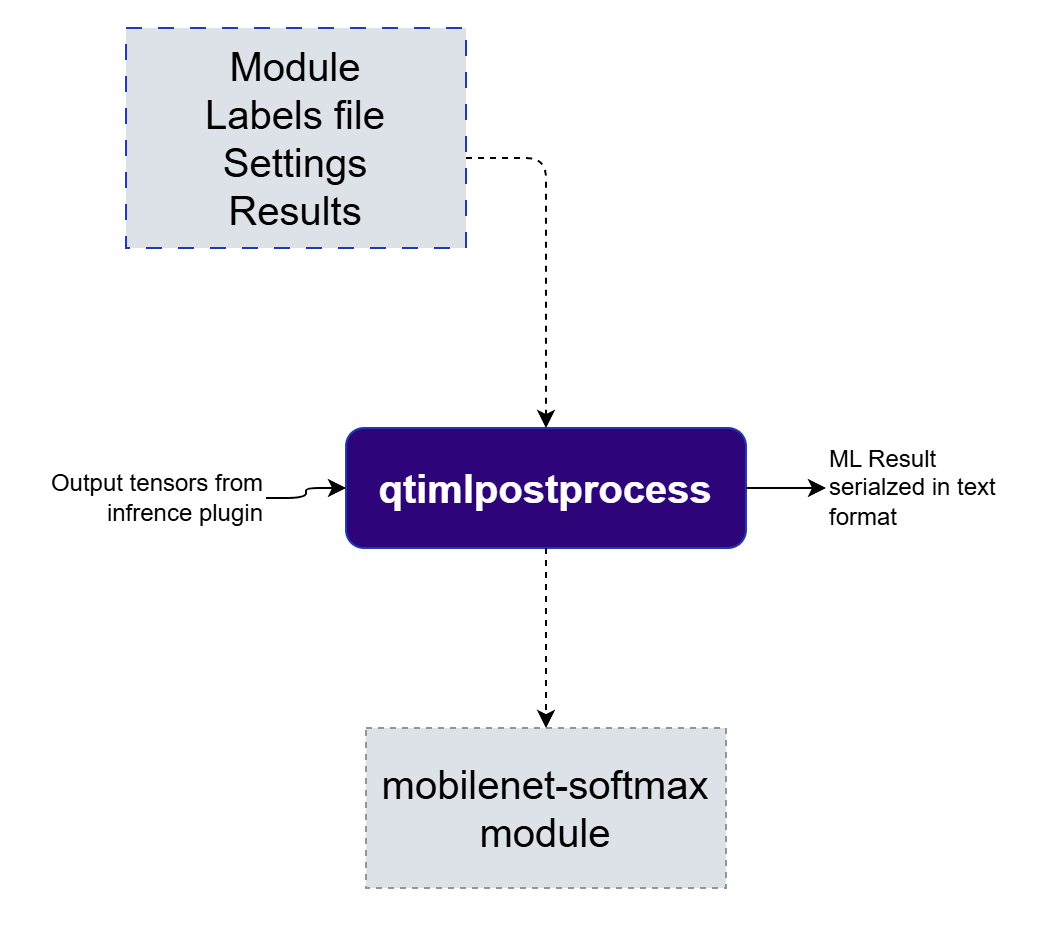
Image Classification
Image Classification
mobilenet-softmaxmobilenetocr-recognizerocrqfr-softmaxqfr
Object Detection
Object Detection
easy-textdteasy-ocr-detectormediapipe-poseqfdqpdssd-mobilenetyolo-nasyolov5yolov8palmd
Semantic Segmentation
Semantic Segmentation
deeplab-argmaxyolov8-seg
Depth Estimation
Depth Estimation
midas-v2
Pose Estimation
Pose Estimation
hrnetlite-3dmmposenethlandmarkmediapipe-pose-landmark
Super Resolution
Super Resolution
srnet
Audio Classification
Audio Classification
wave2vecyamnet
Tensor Generation
Tensor Generation
tensor
Plugin Configuration Options
The qtimlpostprocess plugin offers several configuration options to control how model outputs are interpreted and prepared for downstream use:- Module: Specifies the post-processing module to load. Each module contains parsing logic for a particular model class (e.g., classification, object detection, segmentation). The actual interpretation of the output tensor occurs within the selected module.
-
Labels File: Path to a file containing class labels. Supported formats include:
- Newline-separated labels (commonly used in the ML community)
- JSON format (supports additional metadata such as display color and class filtering)
-
Settings: A JSON object containing module-specific configuration parameters. These settings vary by model type. An example could be
confidence_thresholdwhich is applicable to classification and detection models. - Results: Specifies the maximum number of results to return. This option is useful for limiting the number of top predictions in classification scenarios and ensuring compatibility with downstream plugins that may only support a fixed number of results.
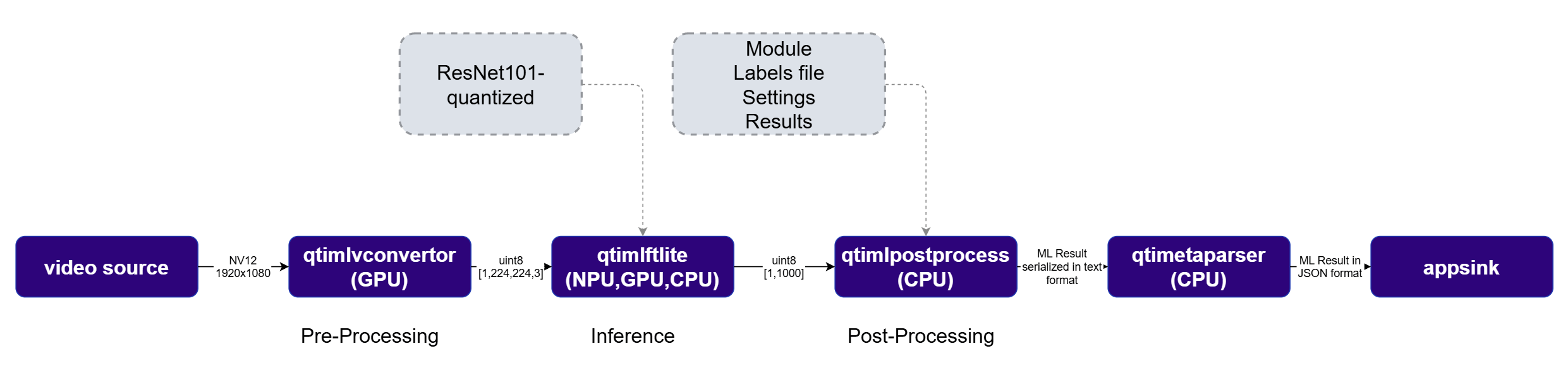
qtimlvconverter (preprocessing) and qtimltflite (inference), then into qtimlpostprocess, which parses the output tensors and produces GStreamer ML metadata containing bounding boxes and confidence scores. The qtivoverlay plugin then renders those results directly onto the video frames for display.
Run example on device
1
Download Required Files
If any downloaded file is a
.zip archive, extract it on your host machine before copying:
unzip filename.zip2
Copy files to device
Create the required directories and transfer the downloaded files to your device.
3
Connect to device
4
Set environment variables
5
Run example on device
- GStreamer Command line
- GStreamer native application
External postprocessing
The pre-integrated modules cover the most common model families. However, when you have a model whose output tensors are not handled by any existing module — a custom architecture, an experimental head, or a proprietary decoding scheme — you can parse the raw tensors directly in your application instead of writing a loadable C++ module. qtimlpostprocess exposes a set ofprocess-* signals that hand the inference output tensors to a callback in your application, which then produces the ML results (detections, classifications, poses, segmentations, depth maps) or writes new output tensors.
Unlike a loadable module, this path keeps the parsing logic inside your own application process — convenient for prototyping, for logic that depends on application state, or when you prefer Python over a compiled module. It is engaged by leaving the module property unset and connecting a handler to the process-* signal that matches your model.
The full list of signals, the result-structure field reference, and complete C/C++ and Python examples are documented in Guidelines for Writing an External Post-Processing Callback.