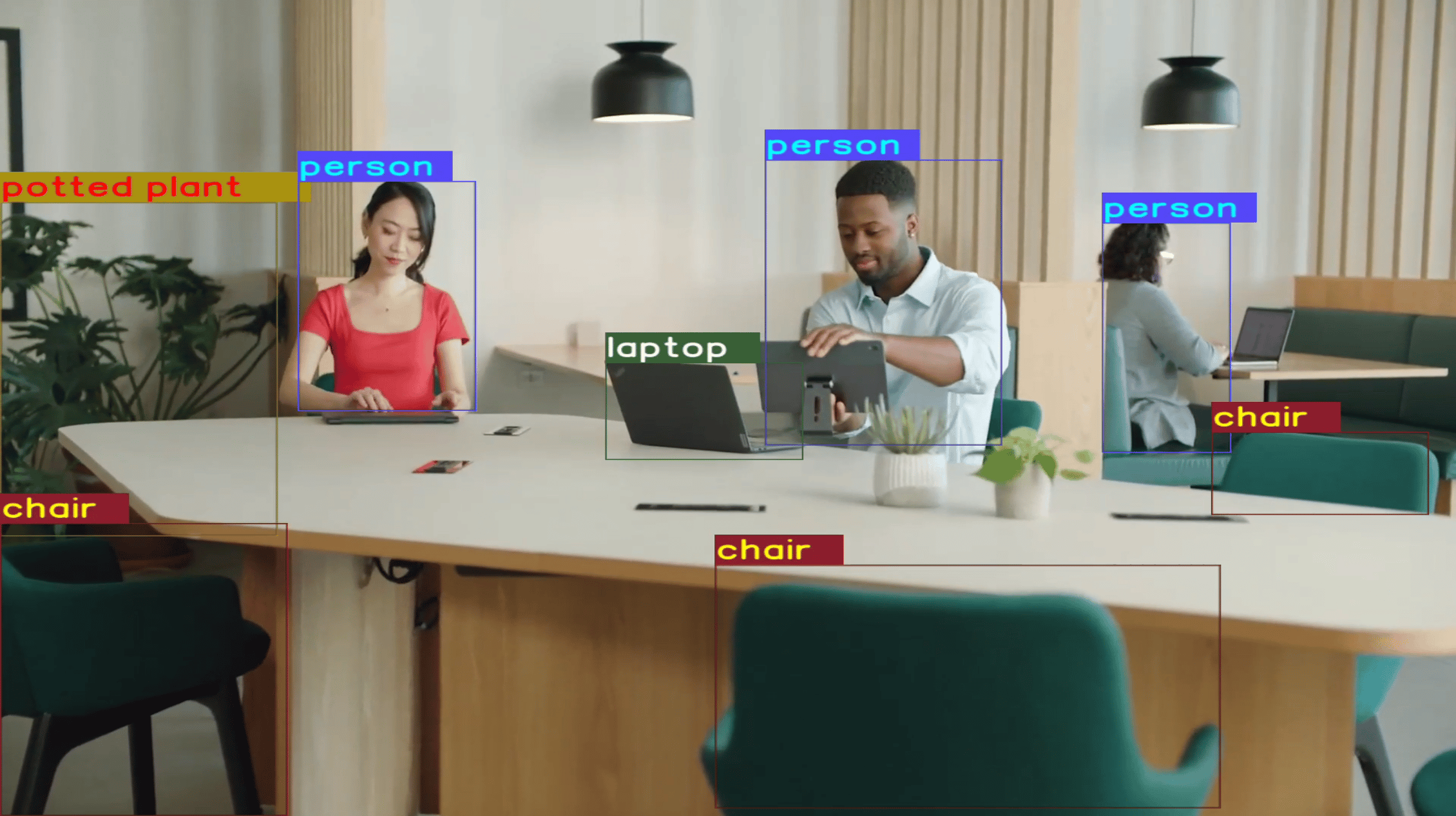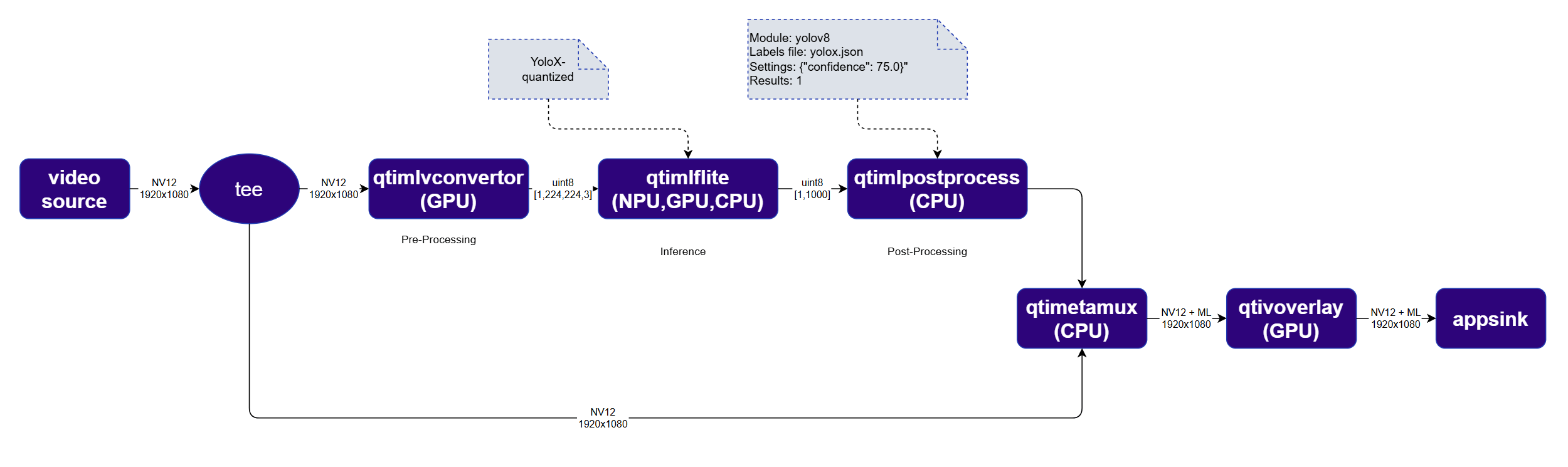
In this example, the pipeline systematically analyzes each frame of a video stream to identify and localize multiple objects — such as people, vehicles, or other entities — within each frame. For each detected object, the pipeline provides bounding boxes and confidence scores. This example uses the YOLOX model from Qualcomm AI Hub. gst-ai-video-detection The detection pipeline is structurally identical to the classification pipeline, with two key differences:
  • The inference plugin is configured with a detection model (YOLOX) instead of a classification model
  • The qtimlpostprocess plugin uses the yolov8 module with a higher result count to capture multiple detections per frame

Run example on device

1

Download Required Files

FileDownloadSave as
YOLOX W8A8 modelQualcomm AI Hub — YOLOXyolox_quantized.tflite
Detection labelscoco.txtcoco.txt
Sample videoInput videoai_demo_sample.mp4
If any downloaded file is a .zip archive, extract it on your host machine before copying: unzip filename.zip
2

Copy files to device

Create the required directories and transfer the downloaded files to your device.
# Replace $HOME to the appropriate device path before running the commands.
# For QLI:    /root
# For Ubuntu: /home/ubuntu
# Modify this based on your platform and ensure files are copied to the correct location on the device.
# Run from your host machine — replace <user> and <device-ip>
ssh <user>@<device-ip> "mkdir -p $HOME/{models,labels,media,media/output}"
scp yolox_quantized.tflite  <user>@<device-ip>:$HOME/models/
scp coco.txt                 <user>@<device-ip>:$HOME/labels/
scp ai_demo_sample.mp4                <user>@<device-ip>:$HOME/media/
3

Connect to device

ssh <user>@<device-ip>
4

Set environment variables

export MODEL_NAME=yolox_quantized.tflite
export LABELS_NAME=coco.txt
export SRC_VIDEO_NAME=ai_demo_sample.mp4
export VIDEO_SOURCE="filesrc location=$HOME/media/$SRC_VIDEO_NAME ! qtdemux ! h264parse ! v4l2h264dec capture-io-mode=4 output-io-mode=4 ! video/x-raw,format=NV12"
5

Run example on device

gst-launch-1.0 $VIDEO_SOURCE ! \
  tee name=t \
  t. ! qtimlvconverter name=preprocess ! queue ! \
       qtimltflite name=inference delegate=external \
         external-delegate-path=libQnnTFLiteDelegate.so \
         external-delegate-options="QNNExternalDelegate,backend_type=htp;" \
         model=$HOME/models/$MODEL_NAME ! queue ! \
       qtimlpostprocess name=postprocess results=8 module=yolov8 \
         labels=$HOME/labels/$LABELS_NAME settings='{"confidence": 51.0}' bbox-stabilization=true ! \
       text/x-raw ! metamux. \
  t. ! qtimetamux name=metamux ! qtivoverlay ! waylandsink sync=true fullscreen=true

Expected output

Detection results are visually overlaid on each video frame — bounding boxes and class labels are rendered on top of the original image in real time. gst-ai-video-detection