

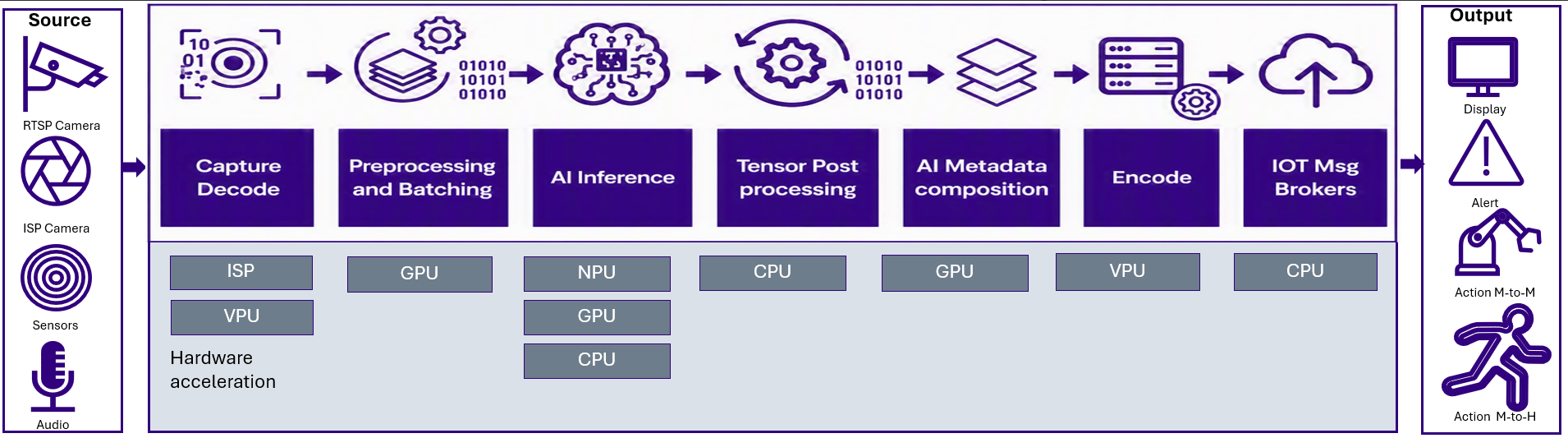
- Python App Builder — Simple, high-level syntax for fast prototyping and rapid iteration on multi-stream, daisy-chained pipelines with fine-grained control.
- C++ App Builder — Low-level control and minimal runtime overhead for building high-performance, production-grade multi-stream, daisy-chained pipelines.
- GStreamer App Builder based native SDK — HW acceleration across Camera/ISP, GPU, Video, Display, IoT protocols, streaming.
- Coding Agent — Agentic, skill-based coding agent that generates and deploys applications across all three App Builders (Python, C++, and GStreamer).
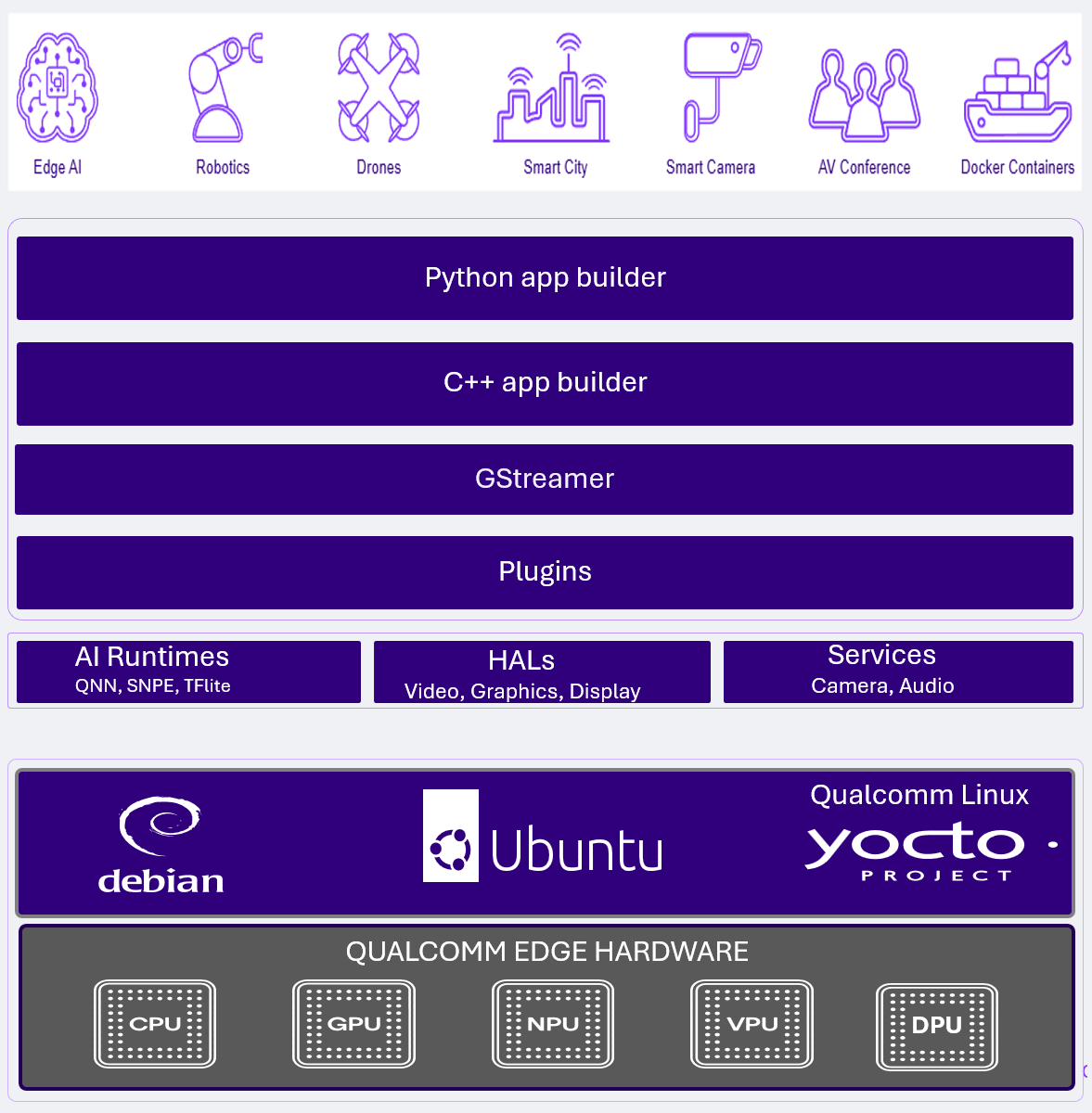
- Neural Processing Units (NPUs) and AI accelerators
- Video encode and decode engines
- Camera Image Signal Processors (ISPs)
- GPUs and display subsystems
- Audio DSPs and multimedia accelerators
Recommended path for new developers
1
Setup the SDK
Get the QIM SDK installed on your Linux device
Go to Installation
Go to Installation
2
Create your first AI pipeline
Create a simple Hello World style AI pipeline
Go to Quickstart Guide
Go to Quickstart Guide
3
Understand the main components of an AI pipline
Learn to capture video and audio from a device, preprocess inputs, run AI inference, and interpret the results
Go to Building AI Pipelines
Go to Building AI Pipelines
4
Explore features of QIM SDK
Browse sample pipelines and code, dive into advanced features and containerization, and reference the full plugin documentation
What do you want to do?
Installation
Install QIM SDK on your Linux device.
Building AI pipelines
Learn how to quickly build AI pipelines using the provided examples.
Plugin Documentation
Reference documentation for all QIM SDK GStreamer plugins.
Release Notes
View the latest release notes.
Need inspiration?
AI pipeline examples
View complete end-to-end pipeline examples you can leverage.
See code samples
Get started with Python, C++, and GStreamer code samples.